RideGY Send

Send a package with a RideGY driver.

Keys, documents, a gift, a box of home cooking. Book it like a ride, hand it to the driver, and the person receiving it shows a code at the door. They don’t need the app.

Cash at pickup A code at the door Live tracking link Up to 70 lb
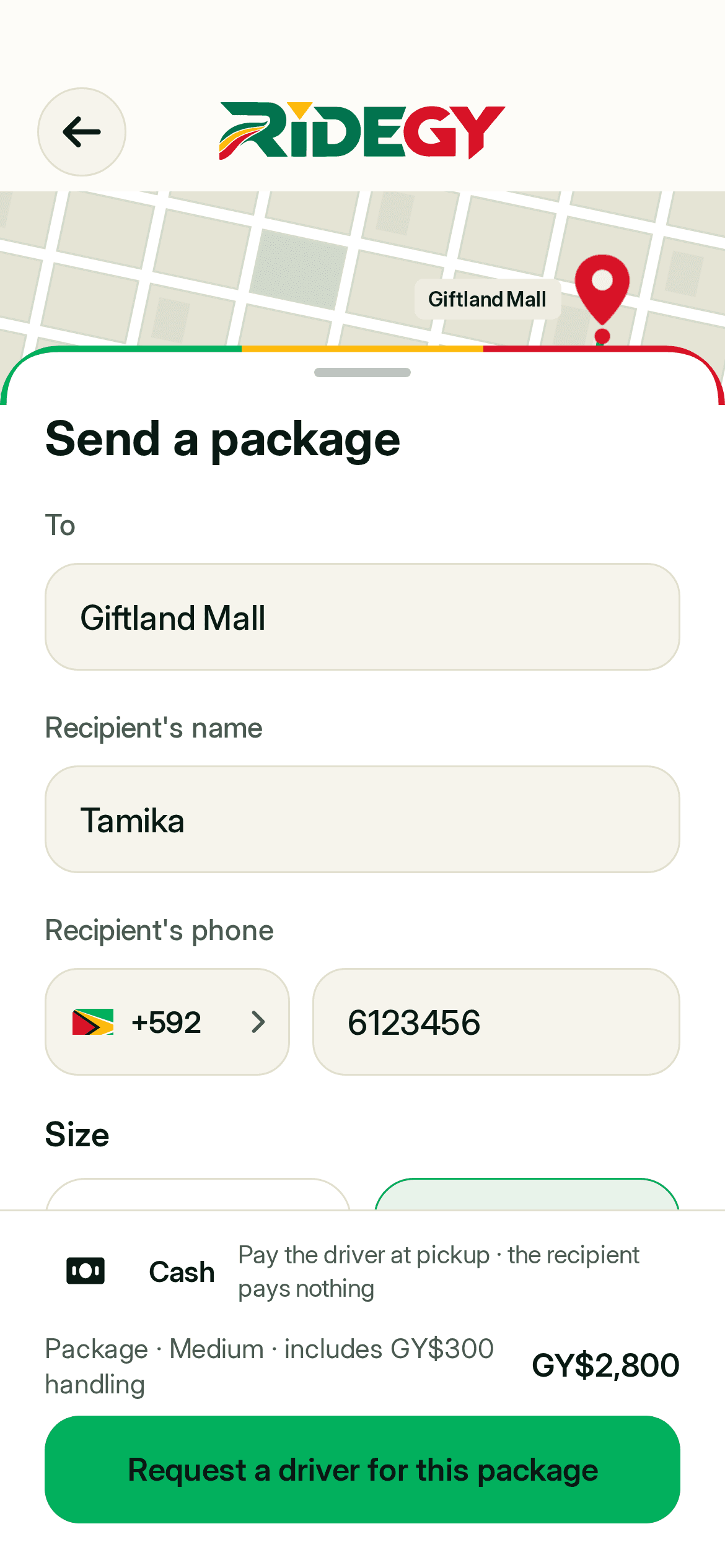
The Send a package form in the RideGY app
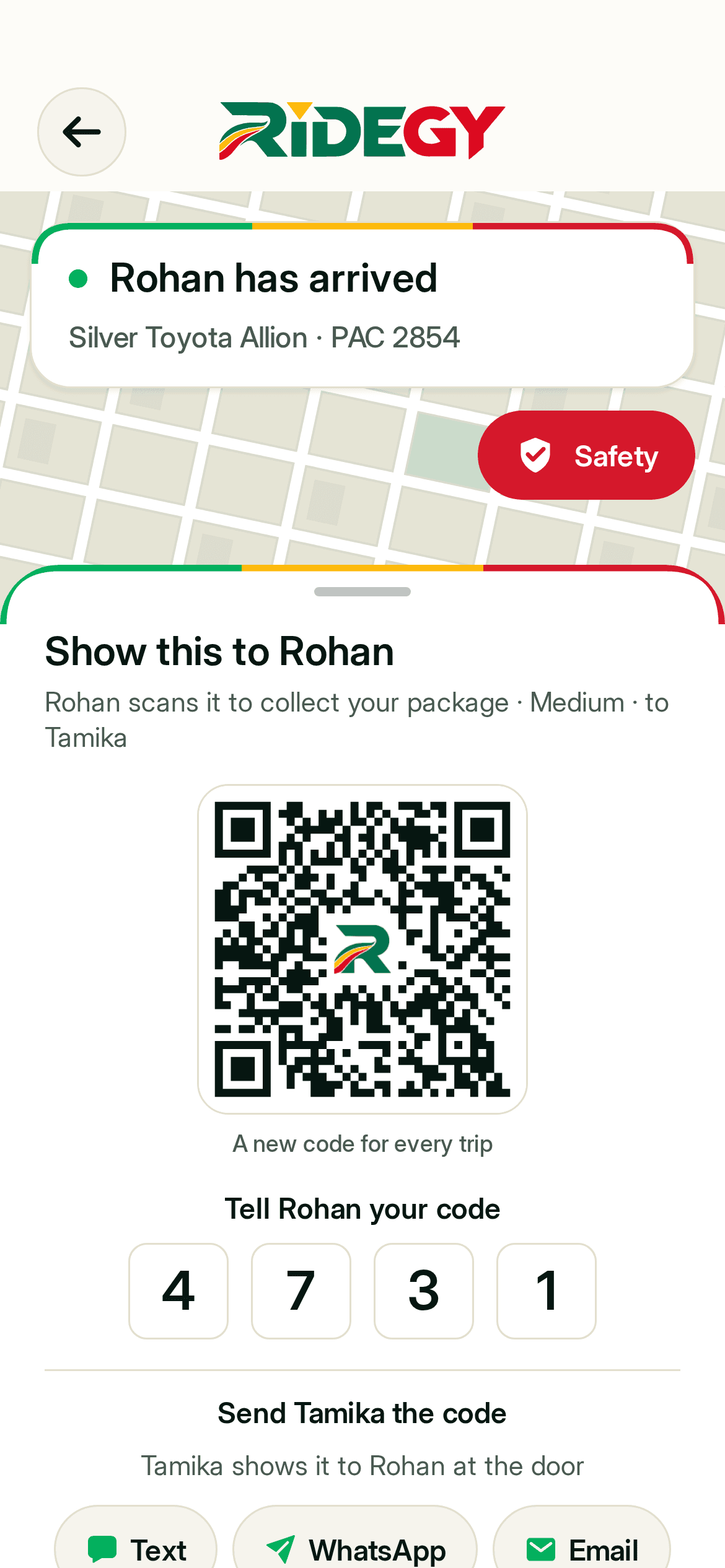
The sender’s code in the RideGY app: a QR code and a 4-digit PIN to show the driver
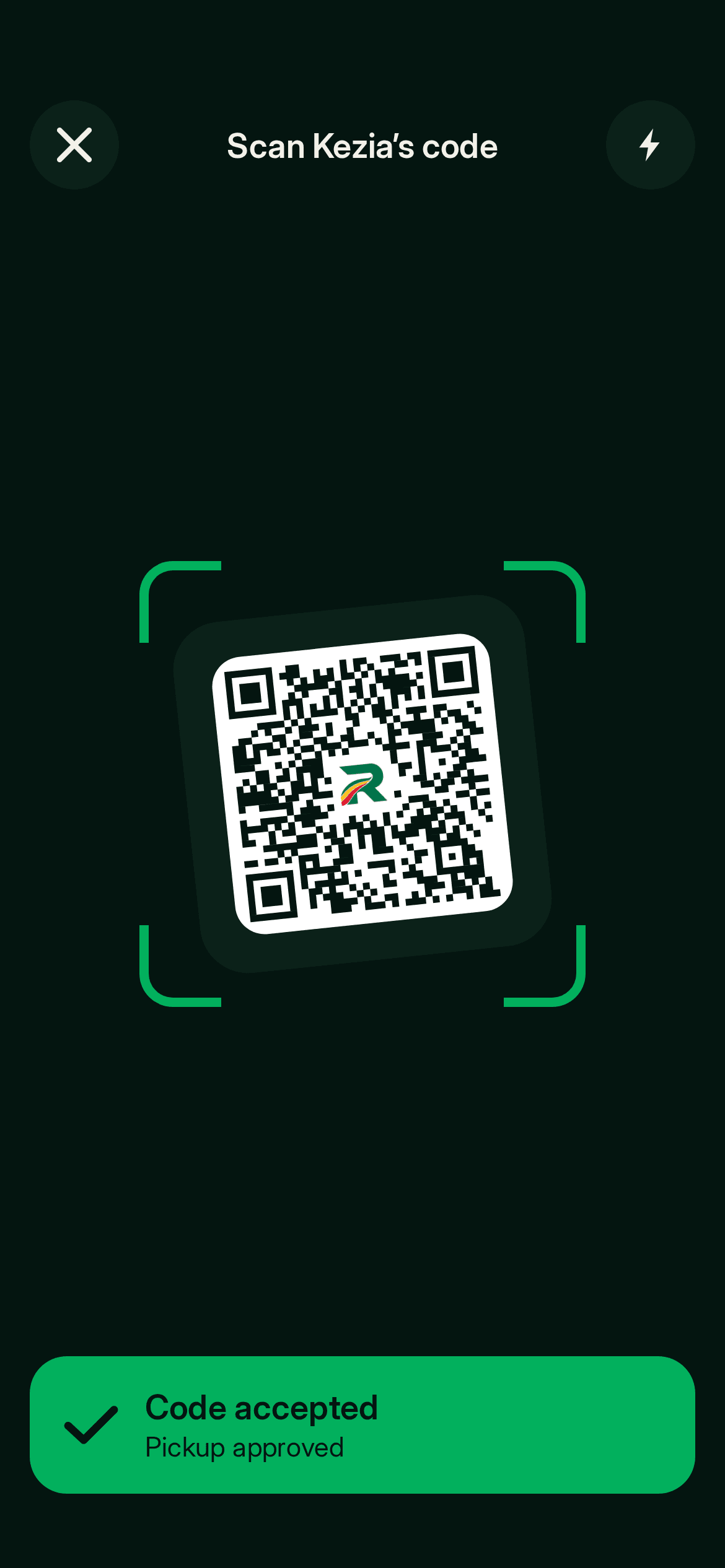
The driver’s scanner in the RideGY app: code accepted
  1. 1 · Book itSay where it goes and who gets it
  2. 2 · Hand it overShow your code when the driver arrives
  3. 3 · On its wayThe driver scans it and the trip starts
How it works

Two people, one code.

One of you sends, one of you receives. Here is what each of you sees.

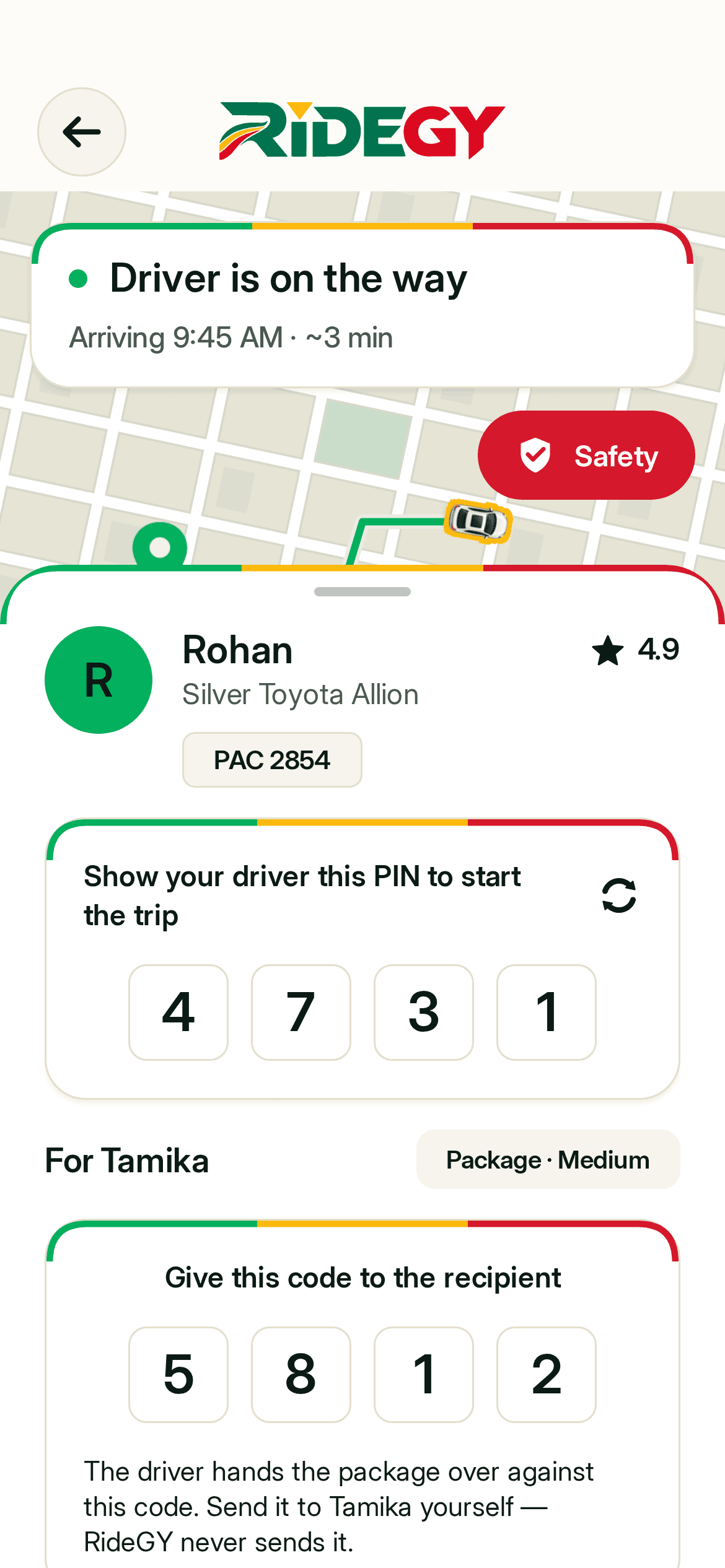
The sender’s trip screen in the RideGY app: the pickup PIN and the code for the recipient

If you’re sending

  1. Book it like a ride

    Open RideGY and choose Send a package. Set the pickup and the drop-off, add who is receiving it and their phone number, and pick a size. You see the price before you request.

  2. Send the code

    When a driver accepts, RideGY gives you a 4-digit code for the person receiving. Send it by text, WhatsApp or email, with a link to follow the driver.

  3. Hand it to the driver

    The driver comes to you. Show your QR code or tell them your PIN, hand over the package and pay the fare in cash.

  4. Delivered against the code

    At the door the driver scans the recipient’s code or types it in. Your receipt shows who received it.
ride.gy/t/…

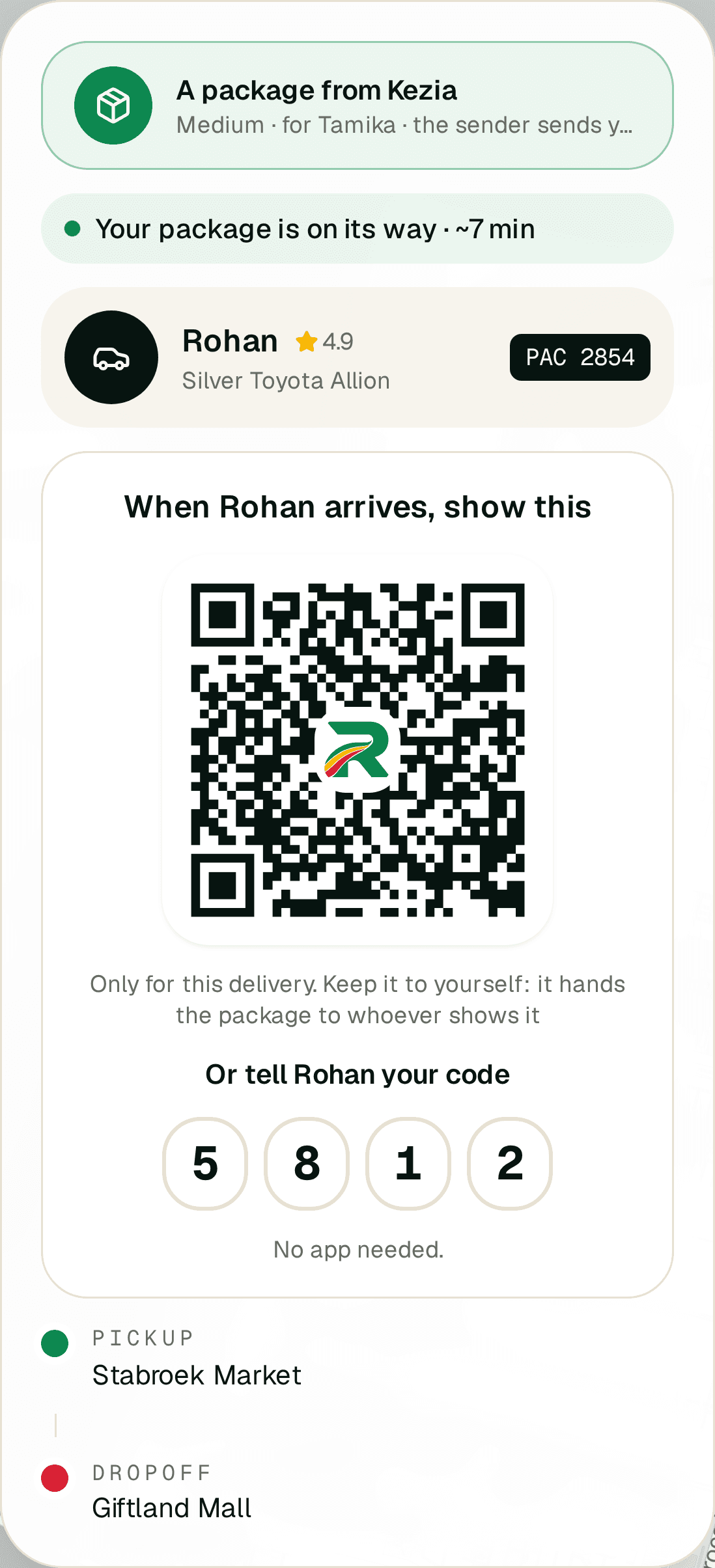
The recipient’s tracking page on ride.gy: the driver, a QR code and a 4-digit code to show at the door

If you’re receiving

  1. You get a link

    The sender sends you a link and a 4-digit code. No app and no account.

  2. Follow the driver

    Open the link to see the driver’s name, the car and the time to arrival.

  3. Show the code

    When the driver arrives, show the QR code on the link or tell them the 4 digits, and take your package. You pay nothing.

At the door

Every hand-over is recorded.

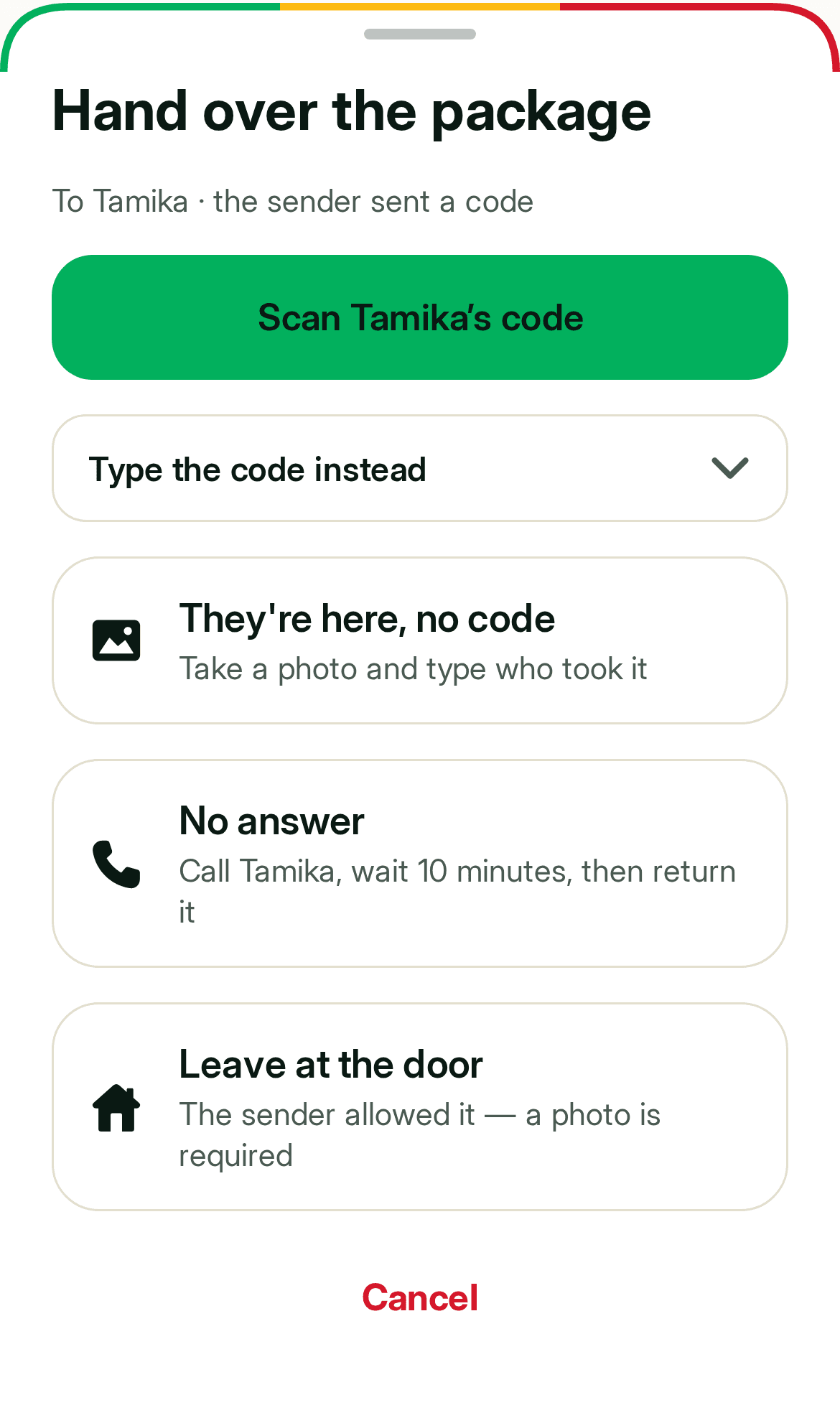
This is the driver’s screen at the drop-off. Whichever way the package is handed over, it goes on your receipt.

  • Scan or type the code

    The driver scans the code on the recipient’s phone, or types the 4 digits.

  • There, but no code

    The driver takes a photo and the name of the person who took the package.

  • No answer

    The driver calls, waits 10 minutes, then brings the package back to you. You pay the fare for the return trip.

  • Leave at the door

    Only if you allowed it when you booked. A photo is required, and a package left unattended is at your risk.

The driver’s hand-over screen in the RideGY app: scan the code, type it, no code, no answer, leave at the door
Sizes and price

Four sizes. The price is shown before you request.

The price starts from the normal ride fare for the trip. Small costs less; bigger packages add a handling fee.

Small

Envelope or small bag, up to 5 lb

20% less than the ride fare

Medium

One-hand box, 5–20 lb

Ride fare + GY$ 300 handling

Large

Two-hands box, in the trunk, 20–35 lb

Ride fare + GY$ 700 handling

XLarge

35 lb up to 70 lb, needs help to lift

Ride fare + GY$ 1,500 handling

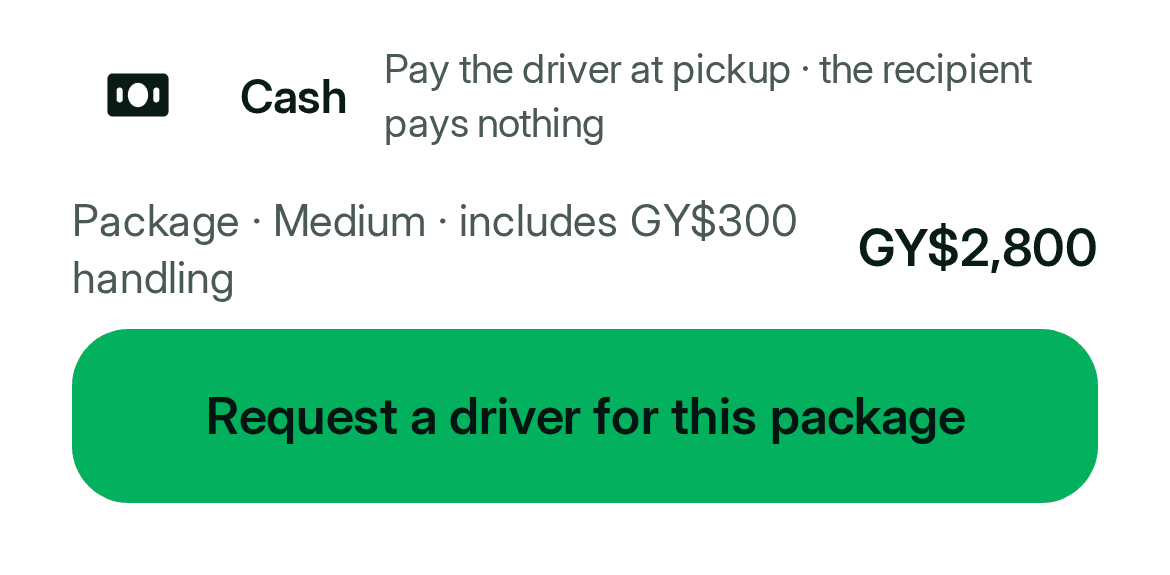
Paid in cash by the sender when the driver picks up. The person receiving pays nothing.

The price line in the RideGY app before you request a driver for a package

What you see before you request. An example trip.

The rules

What you can and can’t send.

Not allowed

  • Guns or ammunition
  • Drugs
  • Hazardous or flammable goods
  • Livestock
  • Anything over 70 lb, or that will not fit in a closed trunk

Fine to send

  • Documents and keys
  • Clothes, gifts, parts and tools
  • Home-made food, packed so it cannot leak

The driver can refuse a package that is banned, leaking or does not fit. If it is bigger than the size you booked, the driver re-checks it and you see the new price to accept, or cancel for free.

You send at your own risk. RideGY does not insure packages and is not responsible for loss, damage or theft.

Questions

Good to know.

Does the person receiving need the RideGY app?

No. They open the link you send them, and that is all they need.

How do I pay?

In cash, to the driver, at pickup. The person receiving pays nothing.

Where does RideGY Send work?

Anywhere in Guyana where a RideGY driver who takes deliveries is on the road.

Can I send food?

Yes, home-made food is fine. Pack it so it cannot leak.

What if I pick the wrong size?

The driver checks at pickup. If the size is different you see the new price and can accept it or cancel for free.

How do I know it arrived?

You can follow the trip live, and your receipt shows who received the package.

Can I book a delivery for later?

Not yet. A package goes out as soon as you request it.

Drive with RideGY? Turn on Deliveries in the app to get package trips between rides.

Driving with RideGY

Something to send today?

Open RideGY, choose Send a package, and a driver comes to you.